Release Notes 1.20.0
Release Notes 1.20.0
Release date: TBD
Release 1.20 introduces three features to help advisors manage client portfolios more effectively:
- Portfolio Actions
- Custom Portfolio 2.0
- Total Portfolio
Portfolio Actions
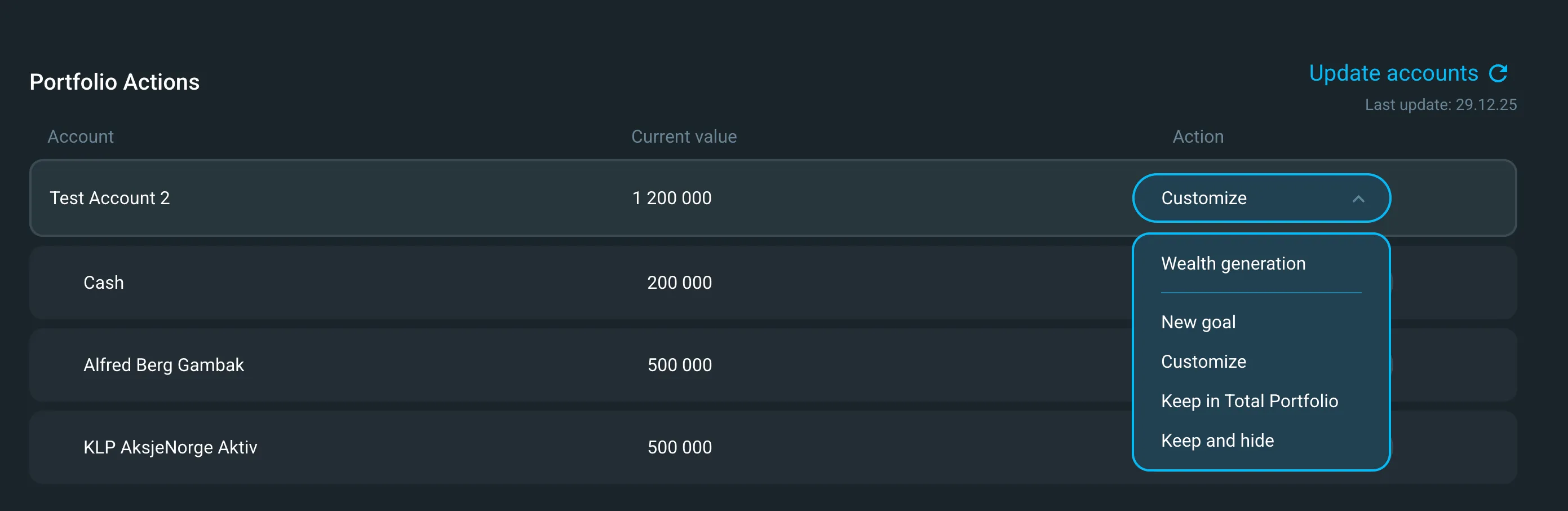
Portfolio Actions helps advisors manage, follow up, and rebalance existing client portfolios.
Capabilities:
- Rebalance portfolios based on updated recommendations
- Process deposits and withdrawals
- Generate accurate transaction lists
- Assign investments to specific accounts
When integrated with your order management system, Portfolio Actions streamlines the entire execution process—from investment plan to order placement.
Requirements: This feature requires client account data to be synchronized with Deep Alpha. Contact our delivery team if you need to enable account syncing.
For step-by-step instructions, see Portfolio Actions user guidePortfolio Actions
Custom Portfolio 2.0
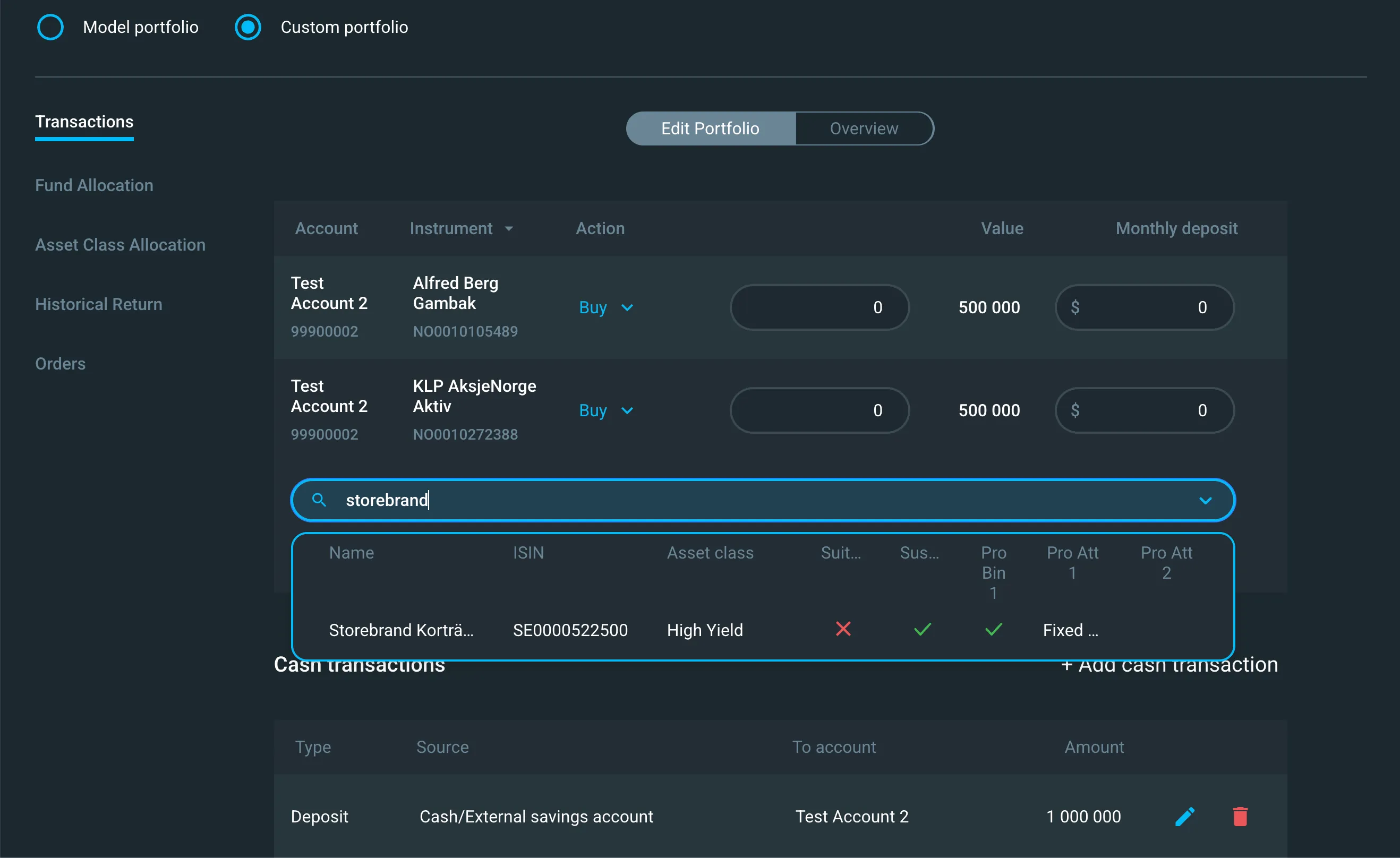
Custom Portfolio 2.0 simplifies how you build custom portfolios.
What's new:
- Faster workflow — Skip directly to fund allocation and search for funds
- Amount-based allocation — Define portfolios using amounts instead of percentages
Custom Portfolio 2.0 replaces the previous version of the custom portfolio.
For step-by-step instructions, see the Custom portfolio user guide
Total Portfolio
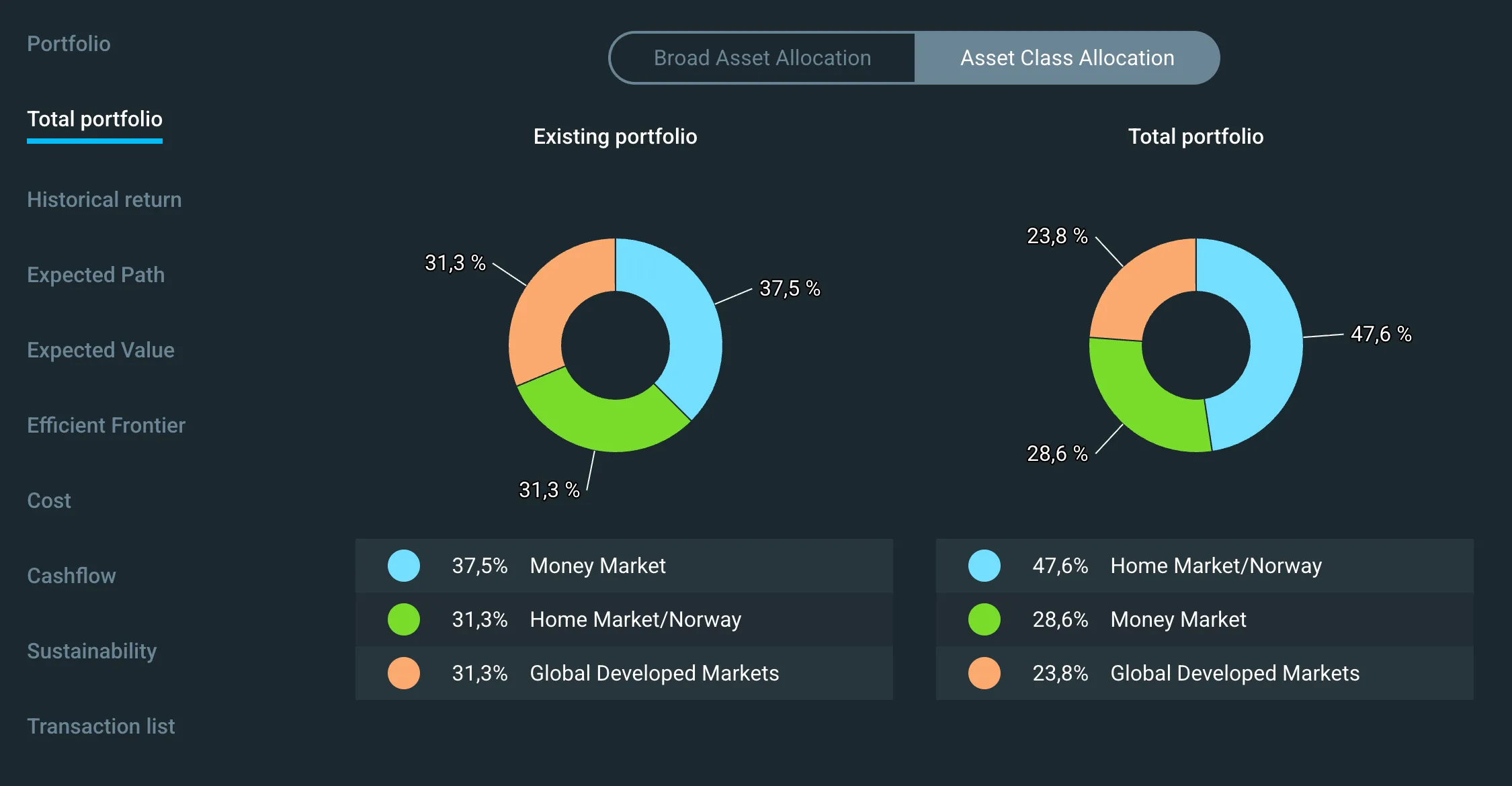
Total Portfolio provides a unified view of a client's complete investment picture. It combines existing holdings and proposed goal portfolios into a single asset allocation view.
Use this feature to explain the full investment strategy to clients and ensure alignment across all holdings.
Learn more in the Total Portfolio user guide
Questions?
Contact our support team for questions or feedback.